The contact center platform you own.
Inbound, outbound, IVR, live supervision, CRM, omnichannel and reporting on your own server, with one login for every role.
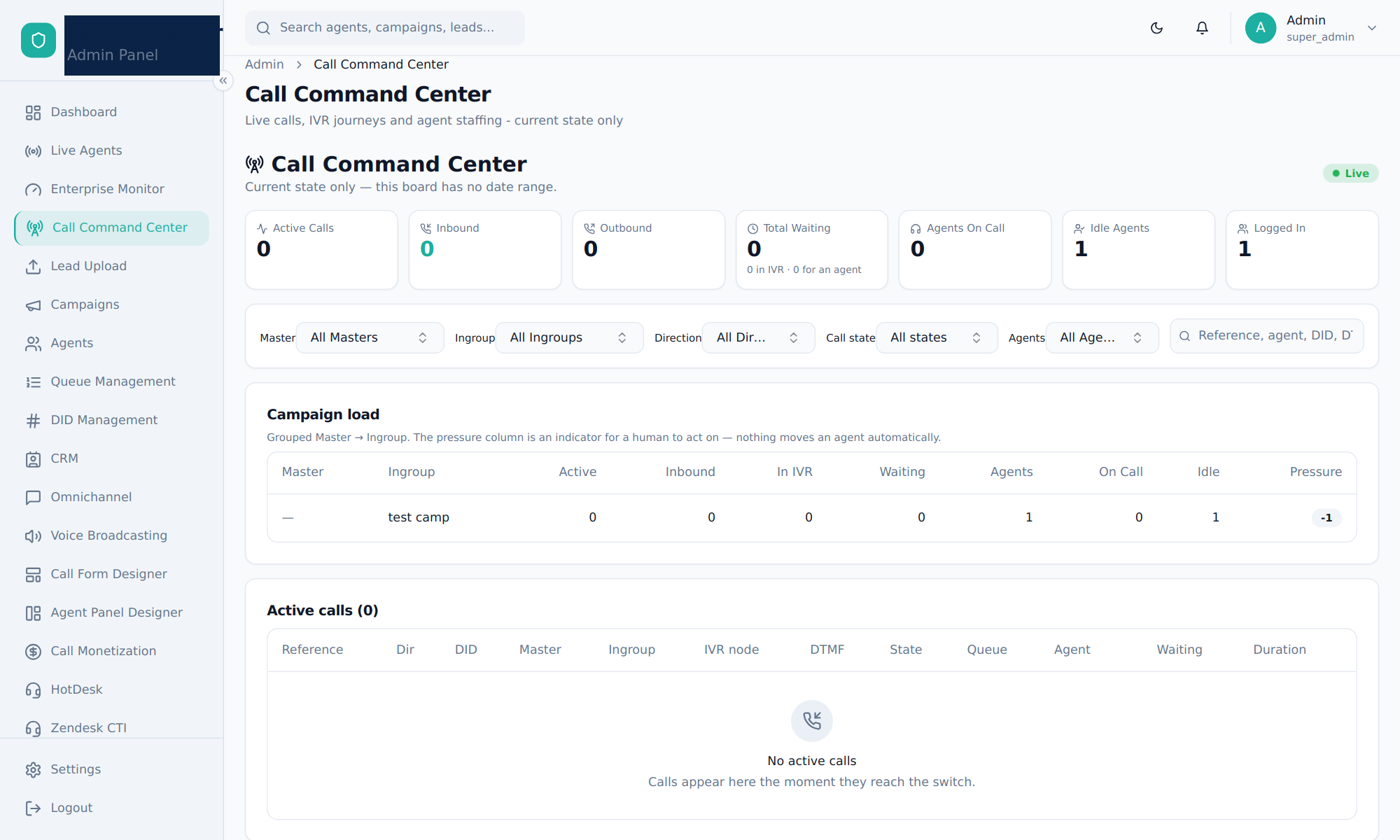
Eight live views, one for every role
Every view filters by campaign, and each user only sees the campaigns and teams their role allows.
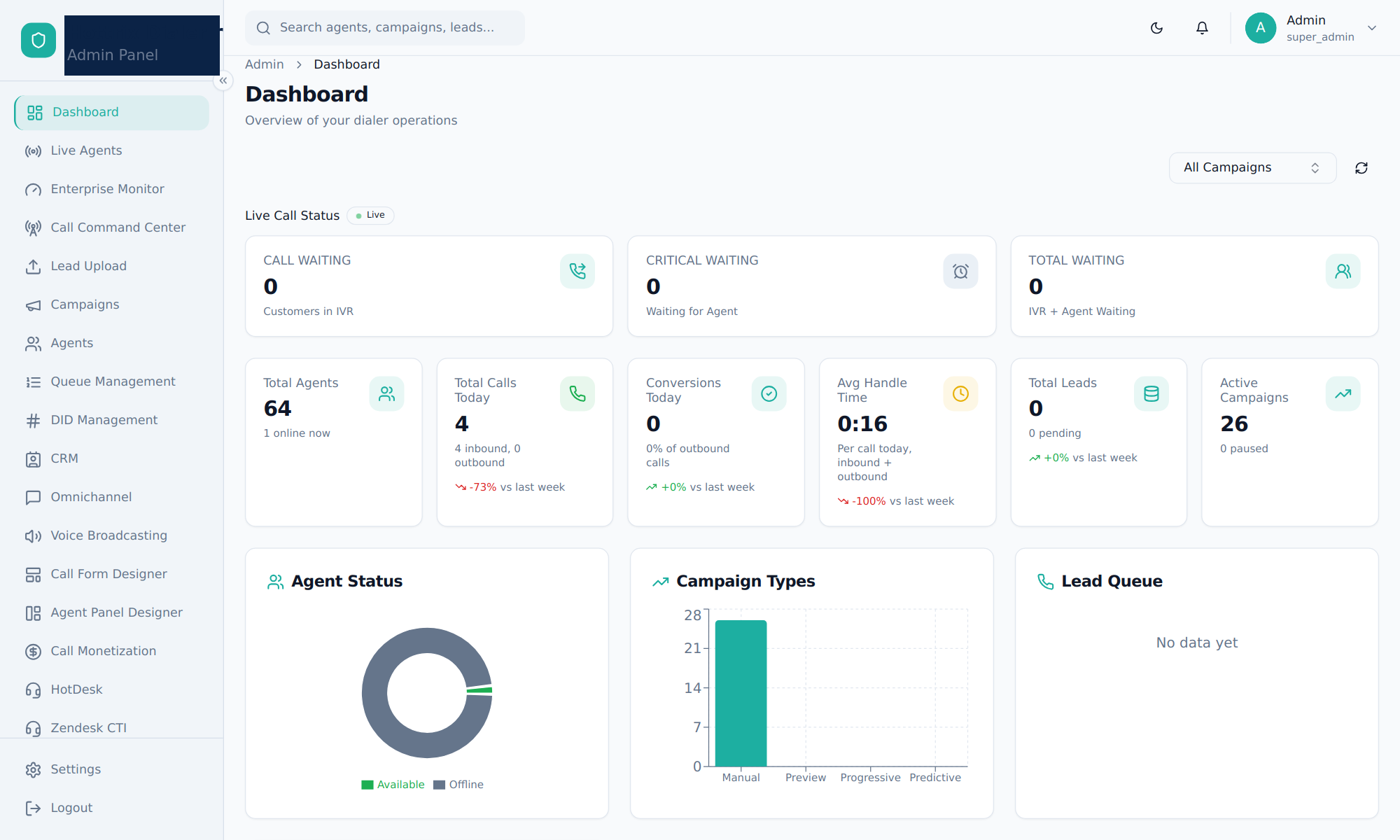
Dashboard
Waiting calls, daily totals, agent status and system health at a glance.
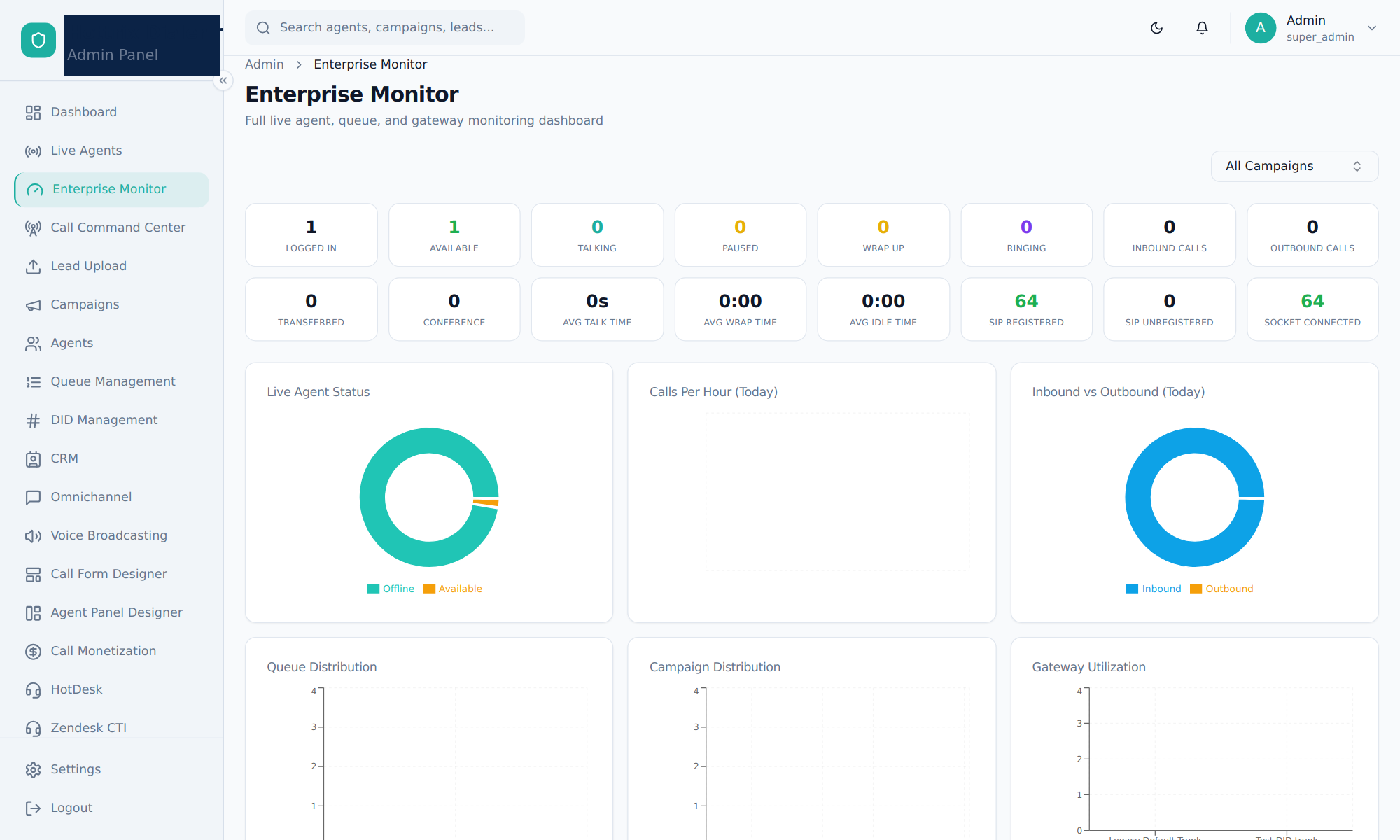
Enterprise Monitor
Sixteen live counters with agent, queue and gateway charts.
Call Command Center
Live calls with their IVR journey, and staffing you can change.
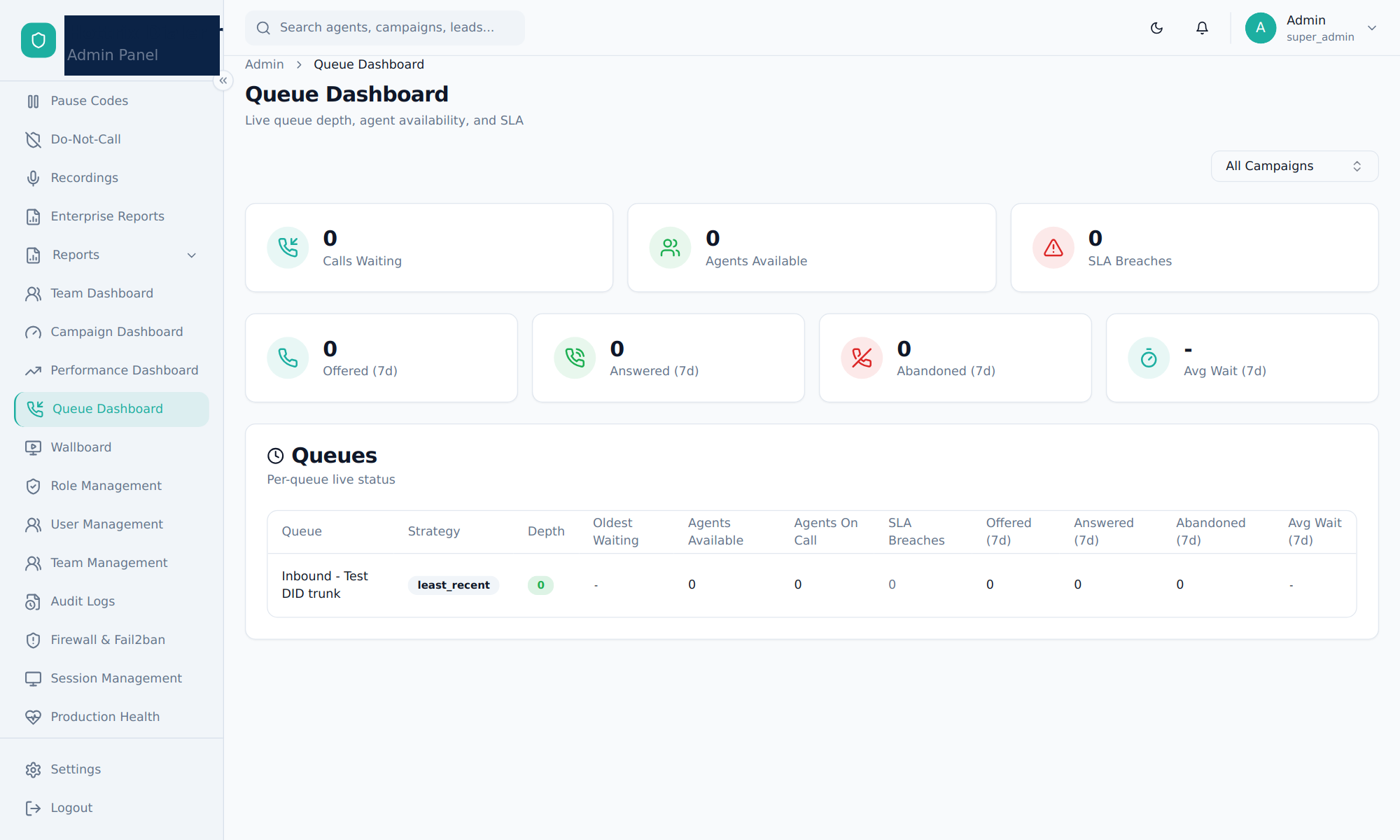
Queue Dashboard
Depth, oldest wait, free agents and SLA breaches per queue.
Campaign Dashboard
Pacing, leads, retries and DNC per campaign and in-group.
Team Dashboard
Occupancy, SLA and a daily leaderboard for each team.
Performance
Per-agent calls, talk time, breaks and conversions.
Wallboard
A full-screen board for the TV on the contact center floor.
The day at a glance
The home screen opens on live call status, so a supervisor sees trouble before reading anything else.
- Callers in the IVR, and callers waiting for an agent
- Calls, conversions and handle time vs last week
- Agent status and campaign mix
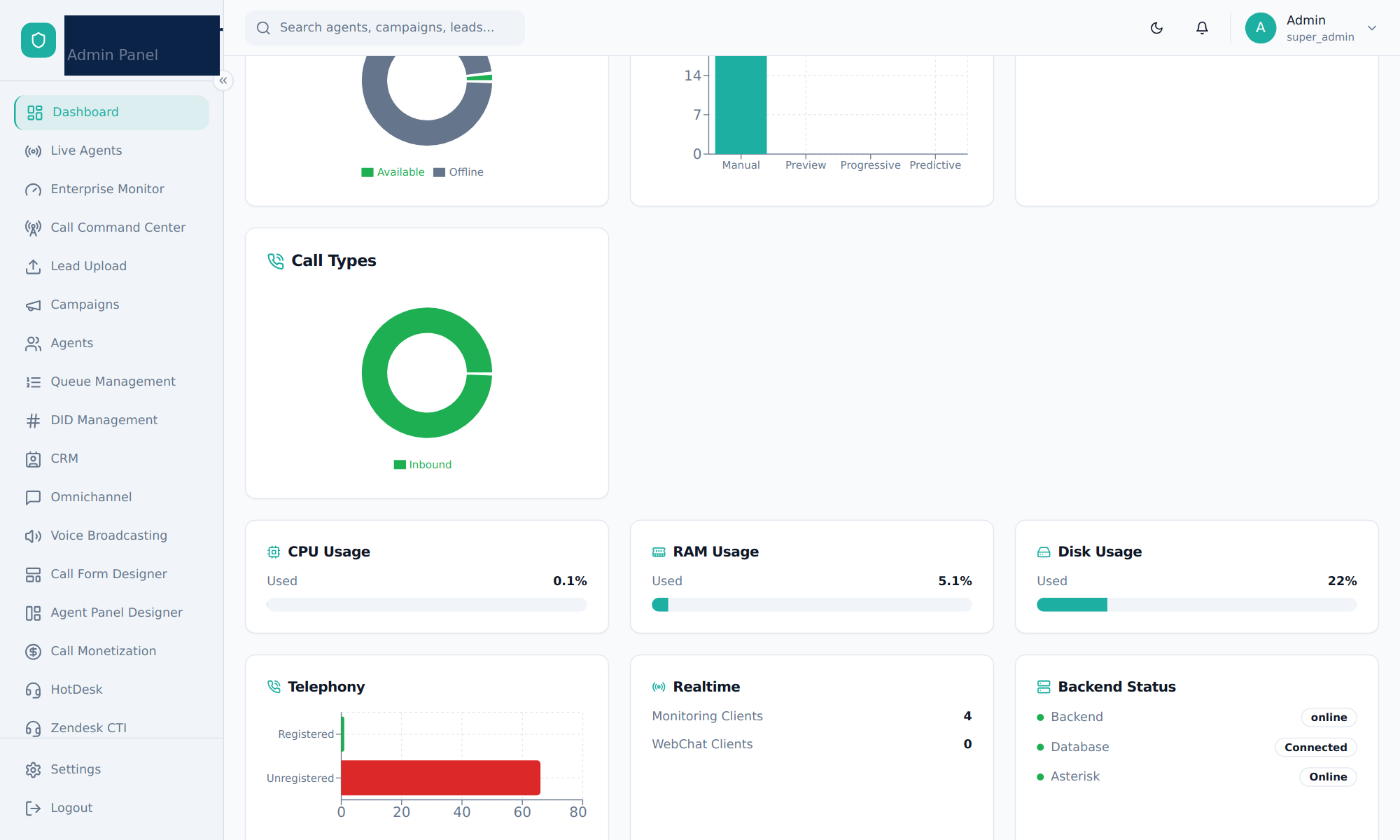
Business and system health together
Call types sit next to server load and telephony status, so you know at once whether a dip is a staffing or a system problem.
- CPU, RAM and disk usage
- Registered and unregistered phones
- Backend, database and Asterisk status
Enterprise Monitor
Logged in, available, talking, paused, wrap-up, ringing, inbound, outbound, transfers and conferences, plus average talk, wrap and idle time.
- Softphone and socket health
- Calls per hour, queue and campaign spread
- Gateway usage
Service levels per queue
Each queue shows its depth, oldest waiting caller, free agents and live SLA breaches, next to seven-day offered, answered and abandoned totals.
- Unlimited queues and strategies
- Priorities and agent skills
- Ring timeout, max wait and SLA per queue
See the call, then act on it
An operational board, not a report: every number is the current state, pushed to the screen the moment it changes.
Live calls with their journey
Each call shows its reference, DID, master campaign, in-group, current IVR node, DTMF choices, queue, agent, waiting time and duration.
- Filter by master, in-group, direction, state or agent
- Search by reference, agent, DID or DTMF
- Click any call to open its full IVR journey
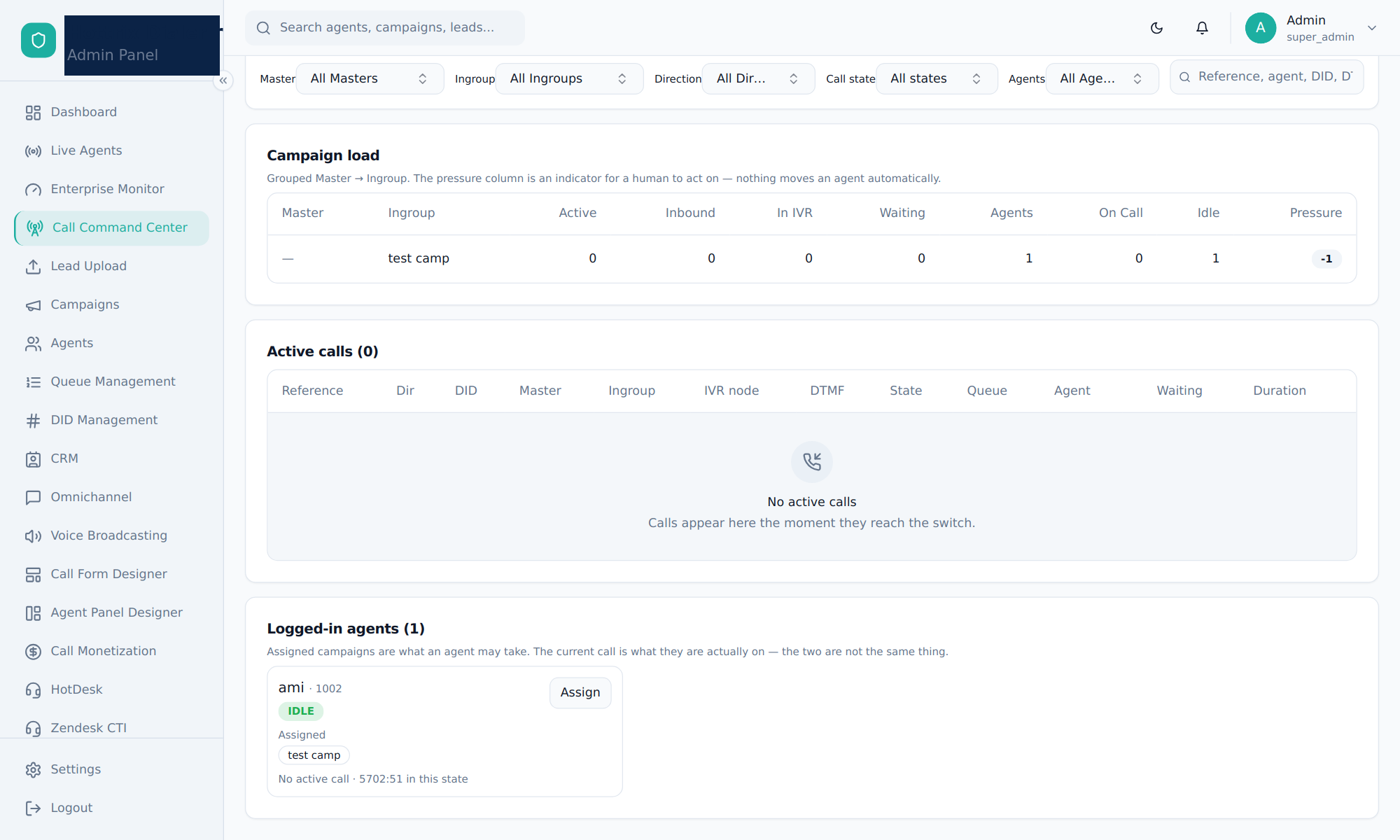
Campaign load
Active, inbound, in-IVR and waiting calls against agents for each in-group, with a pressure indicator.
Staffing
See what each agent may take next to what they are on now, and reassign idle agents in two clicks.
Pushed, not polled
The server sends a fresh snapshot over WebSocket the moment anything changes.
Honest totals
Filters narrow what you see, never what is counted, so the KPI cards stay true.
Draw the call flow, publish it live
Drag nodes onto a canvas and wire each choice to its next step. Named connections, like "Sales", show up in every report.
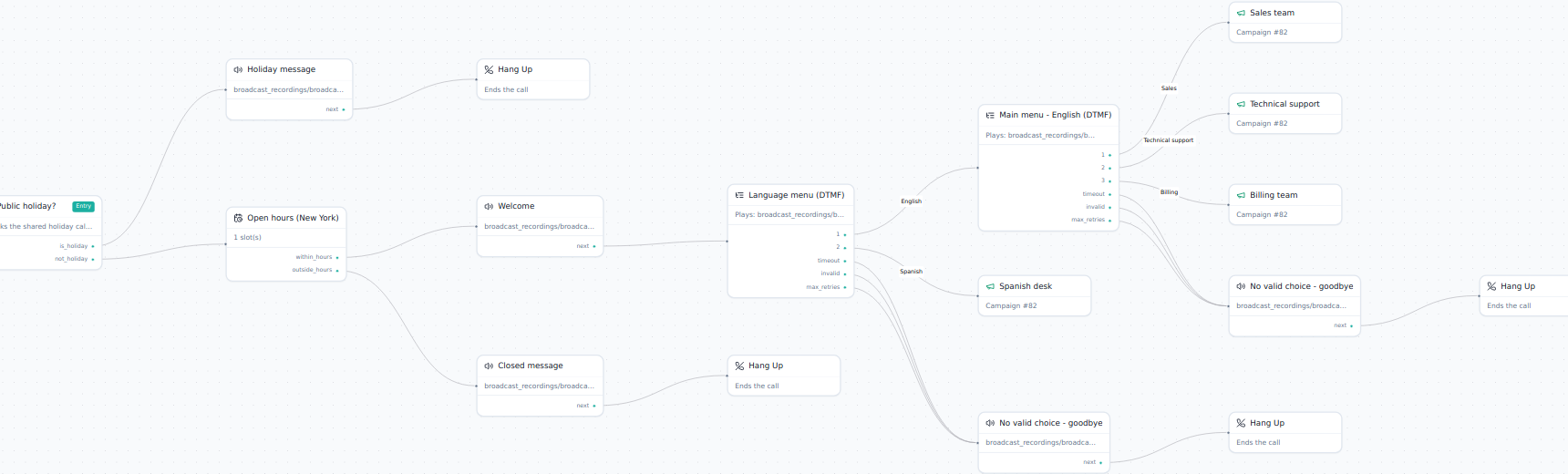
A complete customer-care flow built in the Hottrix IVR Flow Builder.
Logic
- Menu (DTMF)
- Collect Digits
- Business Hours
- Time Condition
- Holiday
- Script Rules
- Set Variable
- Sub-Flow
Audio
- Play Prompt
- TTS Prompt
Data
- Database Lookup
- CRM Lookup
- API Call
- Take Payment
Route to people
- Queue
- Agent
- Campaign
- Extension
- Skill Group
- Agent Group
End or hand off
- External Number
- Conference
- Callback
- Voicemail
- Hang Up
Menus that forgive mistakes
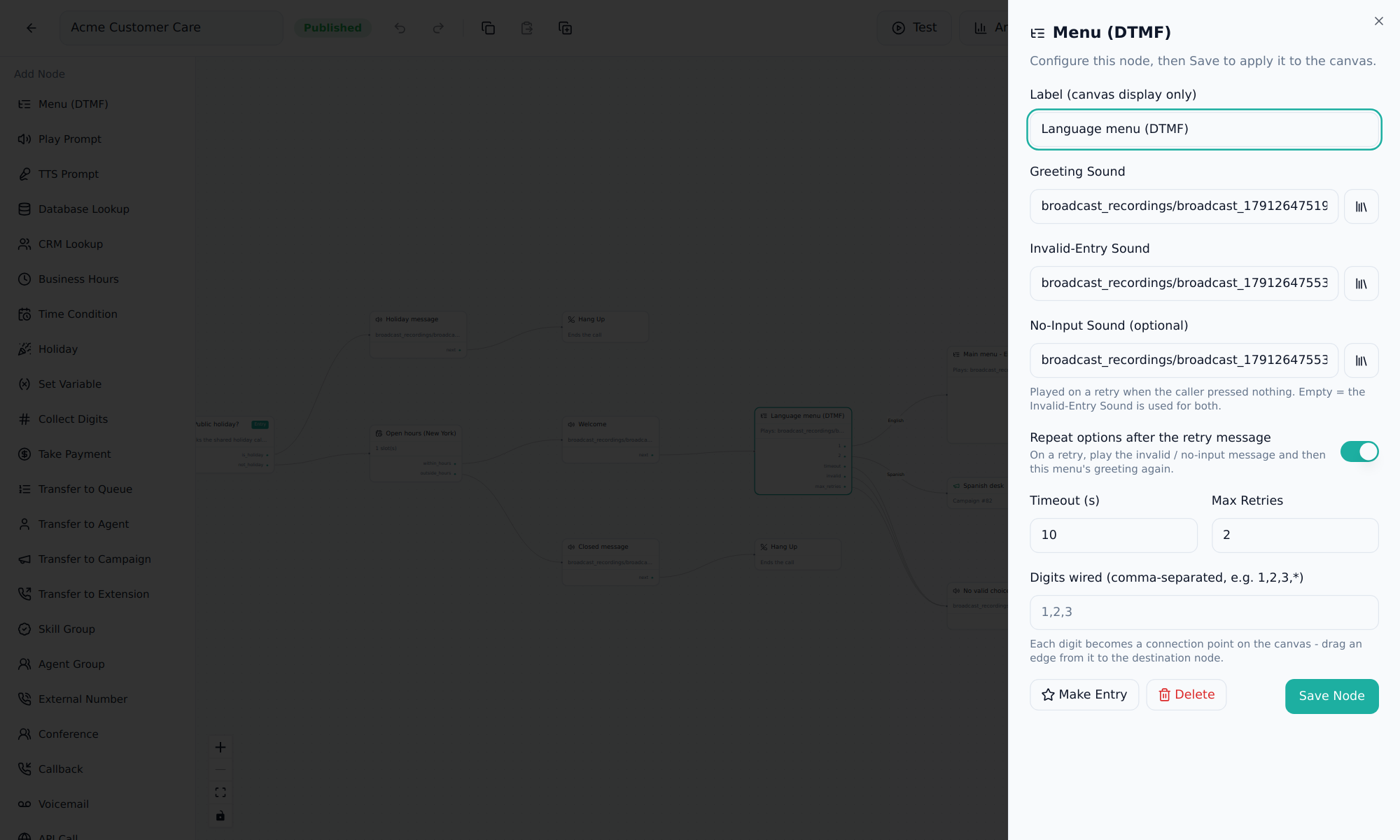
Each DTMF menu sets its own greeting, wrong-key and no-input messages, timeout and retries.
- Repeat the options after a retry
- Each digit becomes a connection on the canvas
- Separate paths for timeout and too many tries
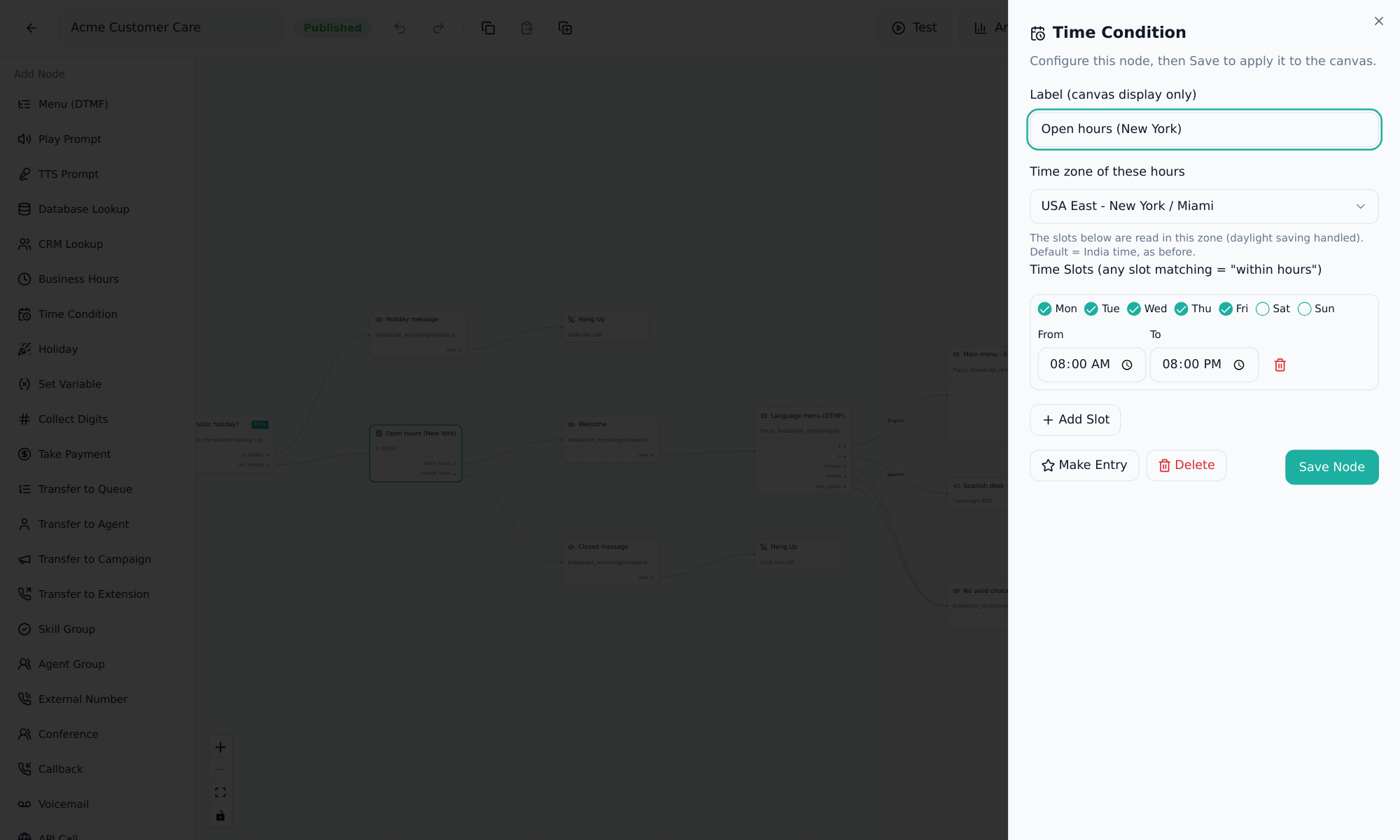
Open hours in the caller's time zone
Each time condition picks its own time zone, with daylight saving handled, and any number of day and time slots.
- Run many countries' hours from one server
- Shared holiday calendar
- Bulk holiday upload
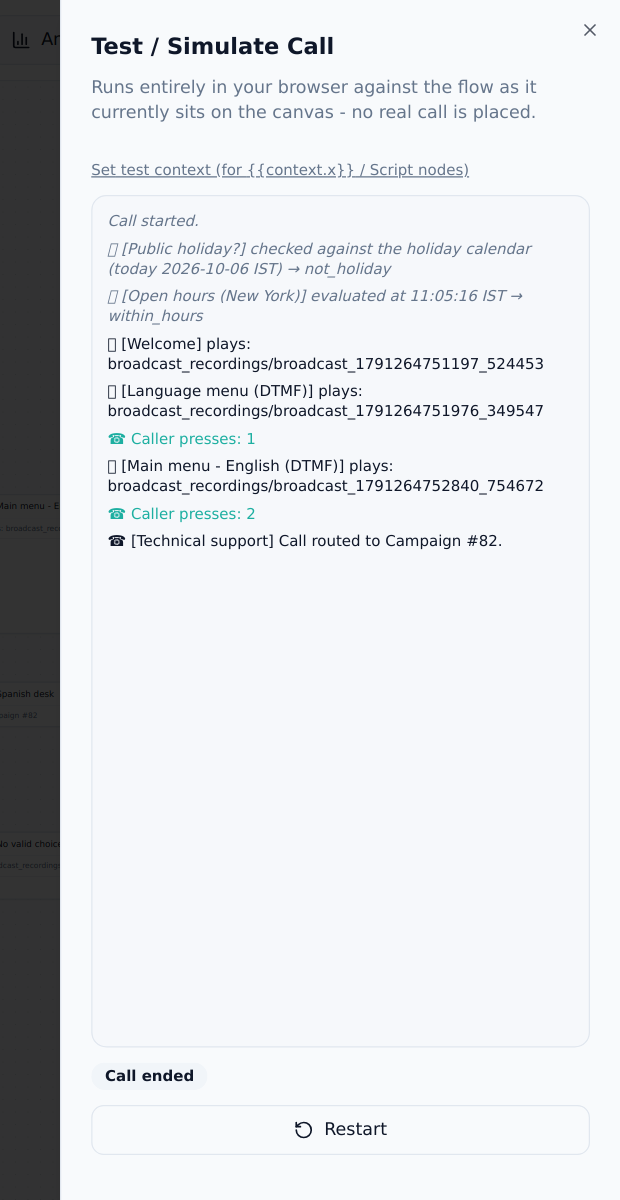
Test it before a caller does
Simulate a call in the browser: press keys and watch each step, with no real call placed.
- Same retry and timeout rules as live calls
- Every published version kept, one-click rollback
- Analytics: most-chosen options and drop-off points
From the client's PDF to a live line
Import the PDF
The flowchart's steps arrive as nodes in an unpublished draft.
Create prompts
Turn each script into a voice prompt with built-in text-to-speech.
Wire and configure
Connect the choices and set hours, holidays and retries.
Simulate and publish
Walk every path, then publish. The line can go live the same day.
The whole desk in one browser tab
One login opens the dialer, and optionally the help desk too.
Browser softphone
WebRTC calling with no desk phone or install, on the office network or over the internet.
IVR journey strip
Agents see which options the caller chose before saying hello.
Screen-pop forms
Call forms matched by campaign, queue and direction open as the call connects.
Guided dispositions
Multi-level outcome trees, scoped to the call's own campaign and uploaded in bulk.
Master campaigns & in-groups
Group a region or business line, with an in-group per country, product or language.
Four dialing modes
Manual, preview, progressive and predictive, with lead lists, retries and DNC.
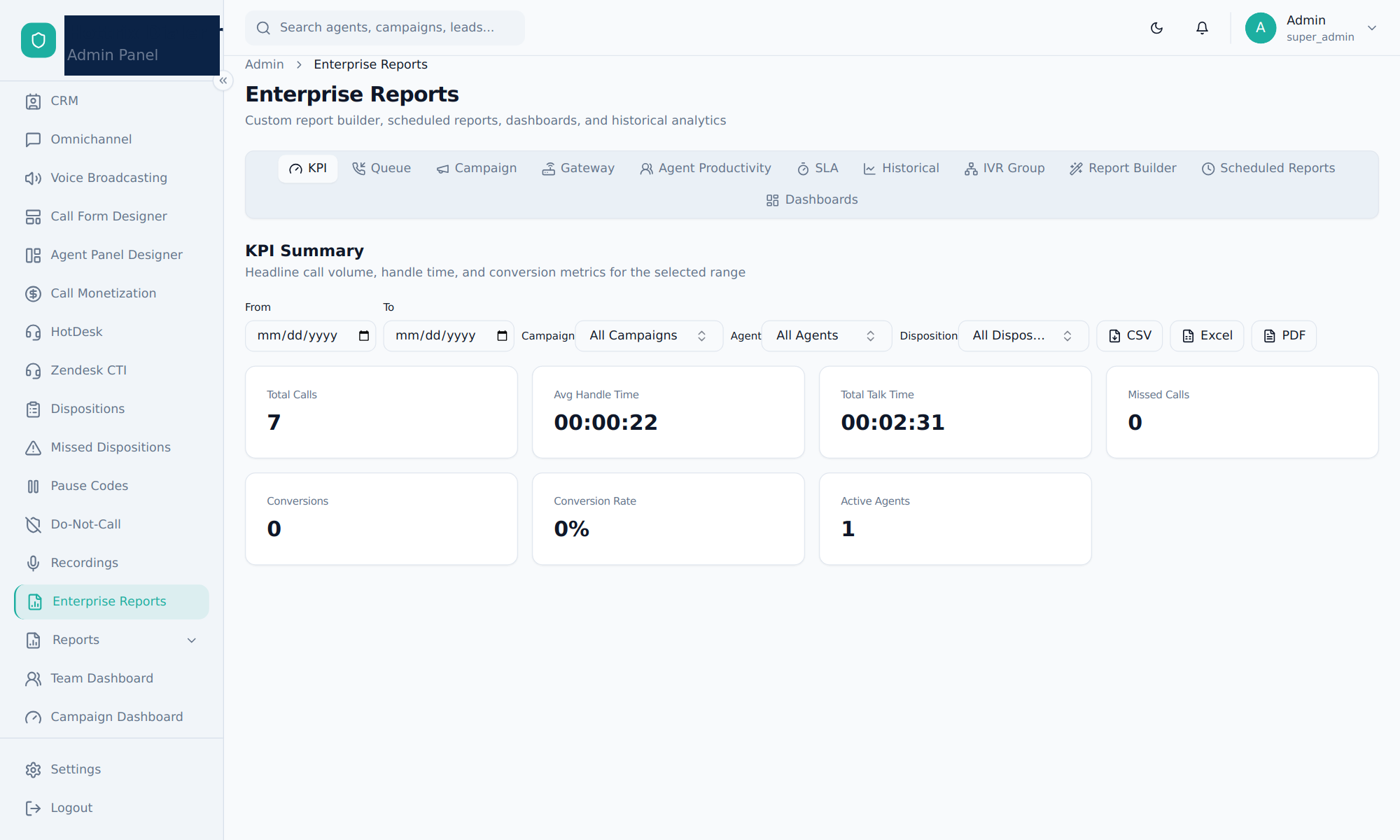
28 reports ready on day one
CDR, hourly and daily, agent performance and activity, missed and abandoned calls, queues, IVR and DTMF paths, callbacks, DNC and more, filtered by master, in-group, agent or team.
- Custom report builder
- Scheduled reports
- CSV, Excel and PDF export
More channels, same platform
Omnichannel inbox
WhatsApp, SMS, email, web chat, Messenger, Telegram and Instagram in one queue.
CRM
Contacts, companies, deals, pipelines, tags and tasks linked to calls.
HotDesk help desk
Tickets, customers, knowledge base and reports, with single sign-on.
Zendesk CTI
Screen pop, call logging and agent mapping inside Zendesk.
Voice broadcasting
Mass outbound messages over SIP, GSM or PRI.
Call monetization & transcription
Paid live-agent support billed per IVR flow, and speech-to-text of recordings.
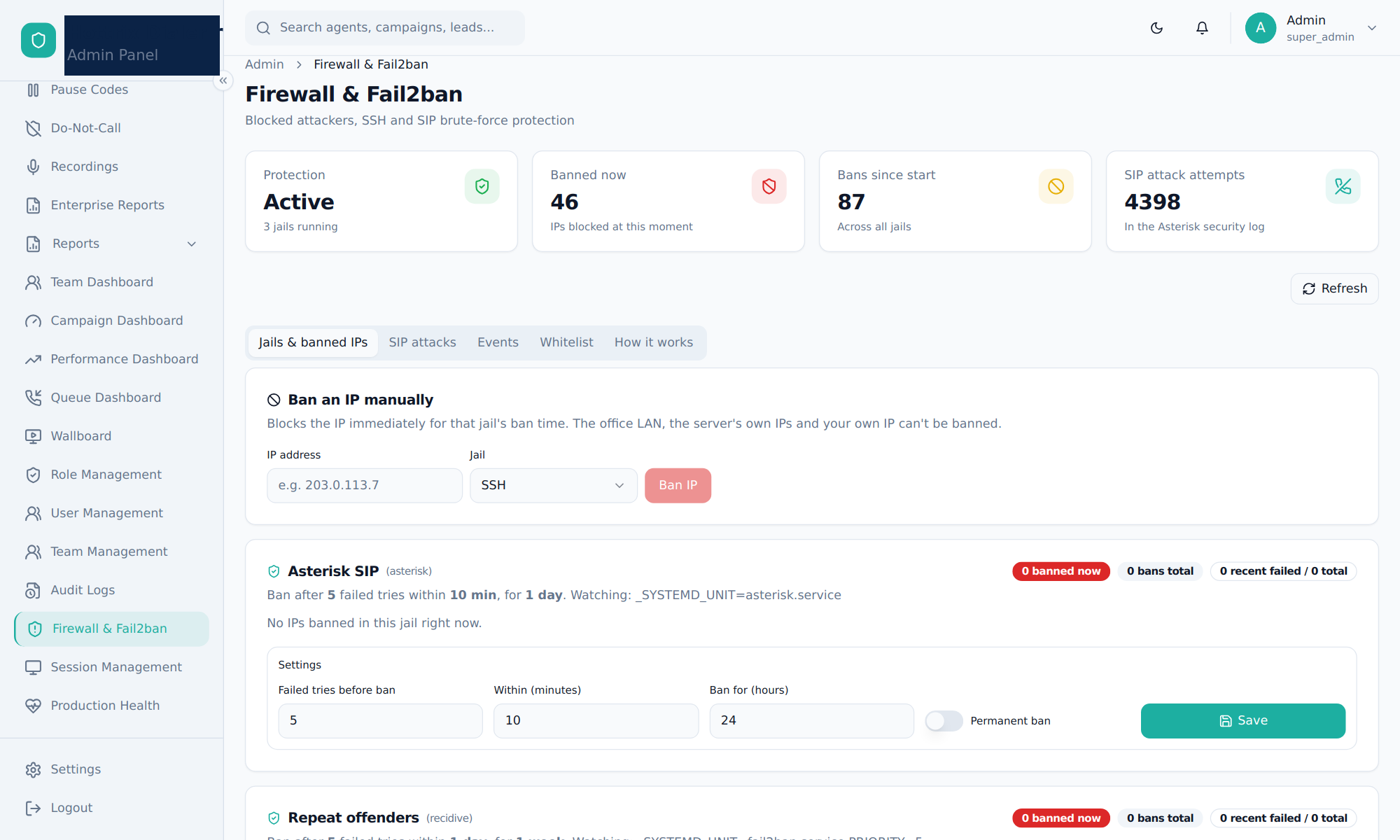
Built to face the internet
SSH and SIP brute-force attacks are blocked automatically, and admins manage bans from the panel instead of the command line.
- 11 built-in roles, 180+ permissions
- Audit log of every change
- Session control and hashed passwords
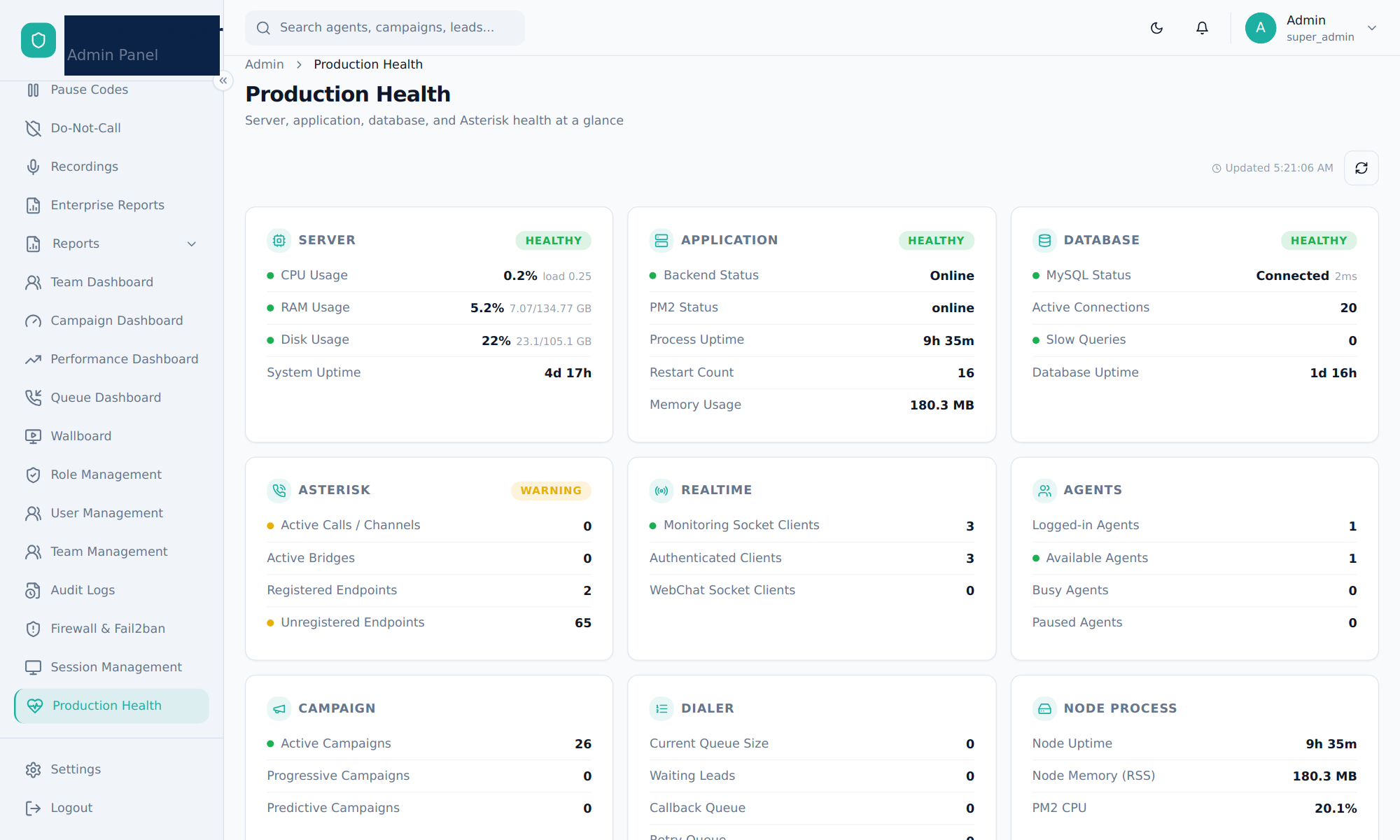
Health at a glance
One page checks the server, application, database, Asterisk, live connections, agents and dialer queues.
- Warnings before callers notice
- Full backup in one script
- Runs on a single server
Your server, your carrier, your data
Self-hosted
Installed on your own server or cloud machine.
Any SIP carrier
Bring your own trunks and DIDs, on Asterisk.
Seat licensing
One license covers every module in the Dialer.
Certified provider
ISO 18295-1, ISO/IEC 27001 and ISO 9001 certified.
Guided rollout
We set up your first flows, campaigns and reports with you.
See it run your own call flow
Send us one IVR script. We'll show it live on Hottrix Dialer, with reports, in a single session.